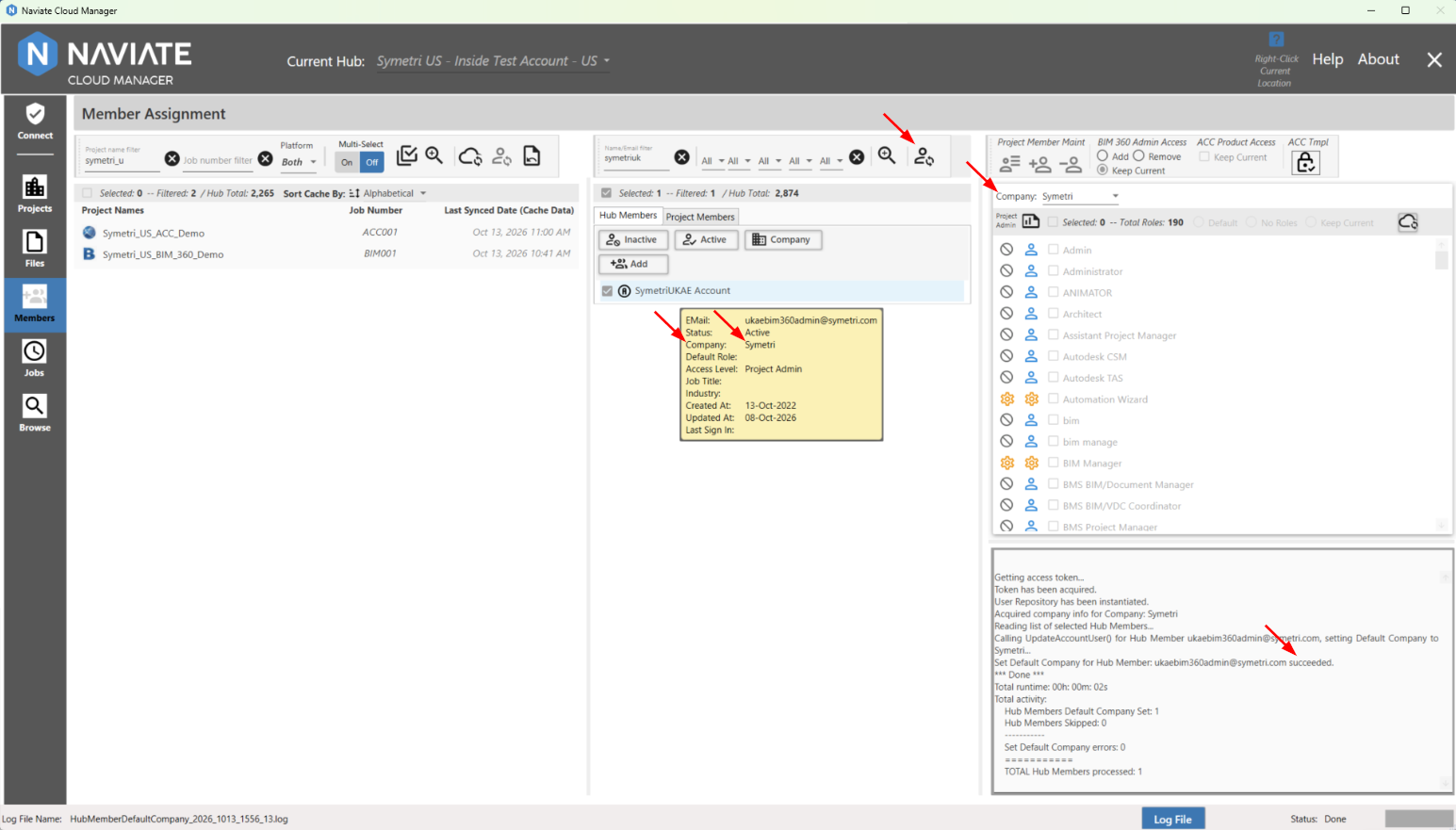
Set Default Company
The default company is set at the hub/account level. In order to enable the Default Company button, no project should be selected and at least one hub member needs to be selected.
The Company button is used to set the selected Hub Members Default Company to that of the Company selected in the Member Access Settings pane. The Company button is located on the Hub Members tab.
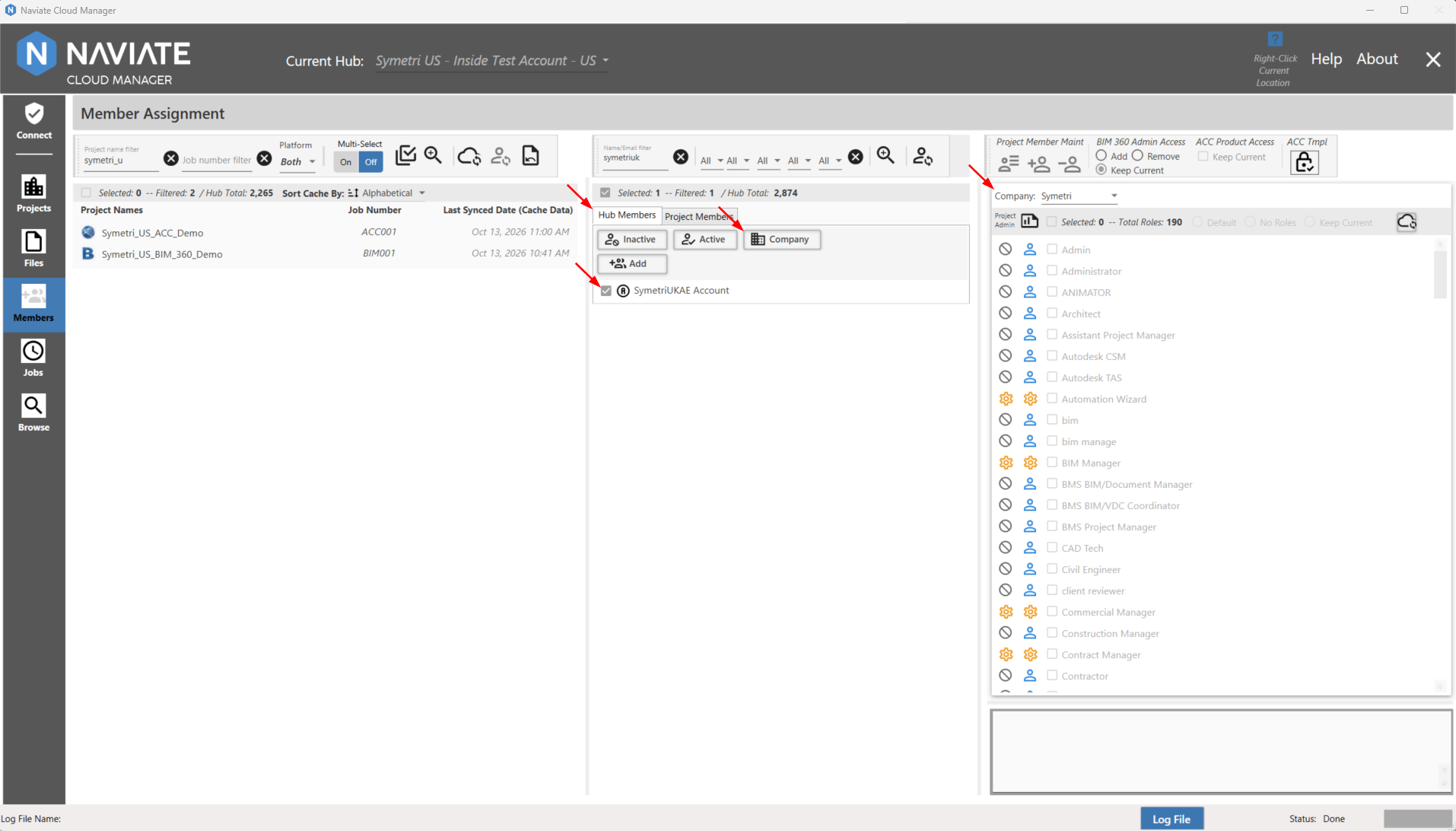
For the  Company button to be enabled, at least one Hub member must be selected.
To view the current Default Company setting, locate the Hub member and place the mouse cursor anywhere on the line for that member.
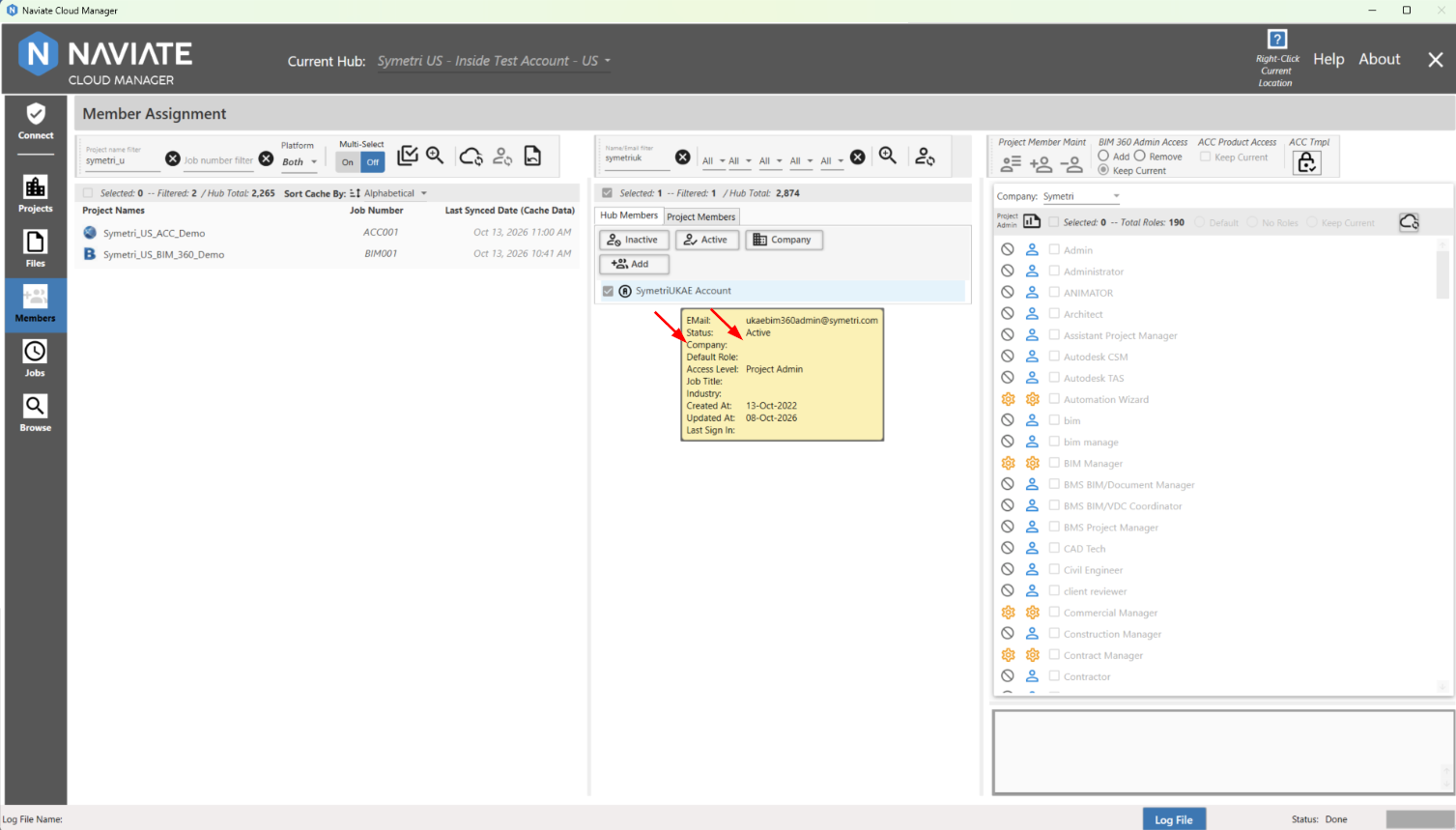
Once the default company has been updated, a manual refresh of the hub members list is required: