Update Project Members
Naviate Cloud Manager provides the capability of updating members that are already assigned to a project. At the present time, this ability to update consists of changing or removing the 1) default company 2) Industry Roles and 3) Project Admin Access. This process works the same, regardless of whether Multi-Select is set to On or Off.
To update project members, select the project and members as described in the preceding sections.
For this example, all product access, company and role assignments have been set to keep current since the update functionality is the only tool that supports this function.
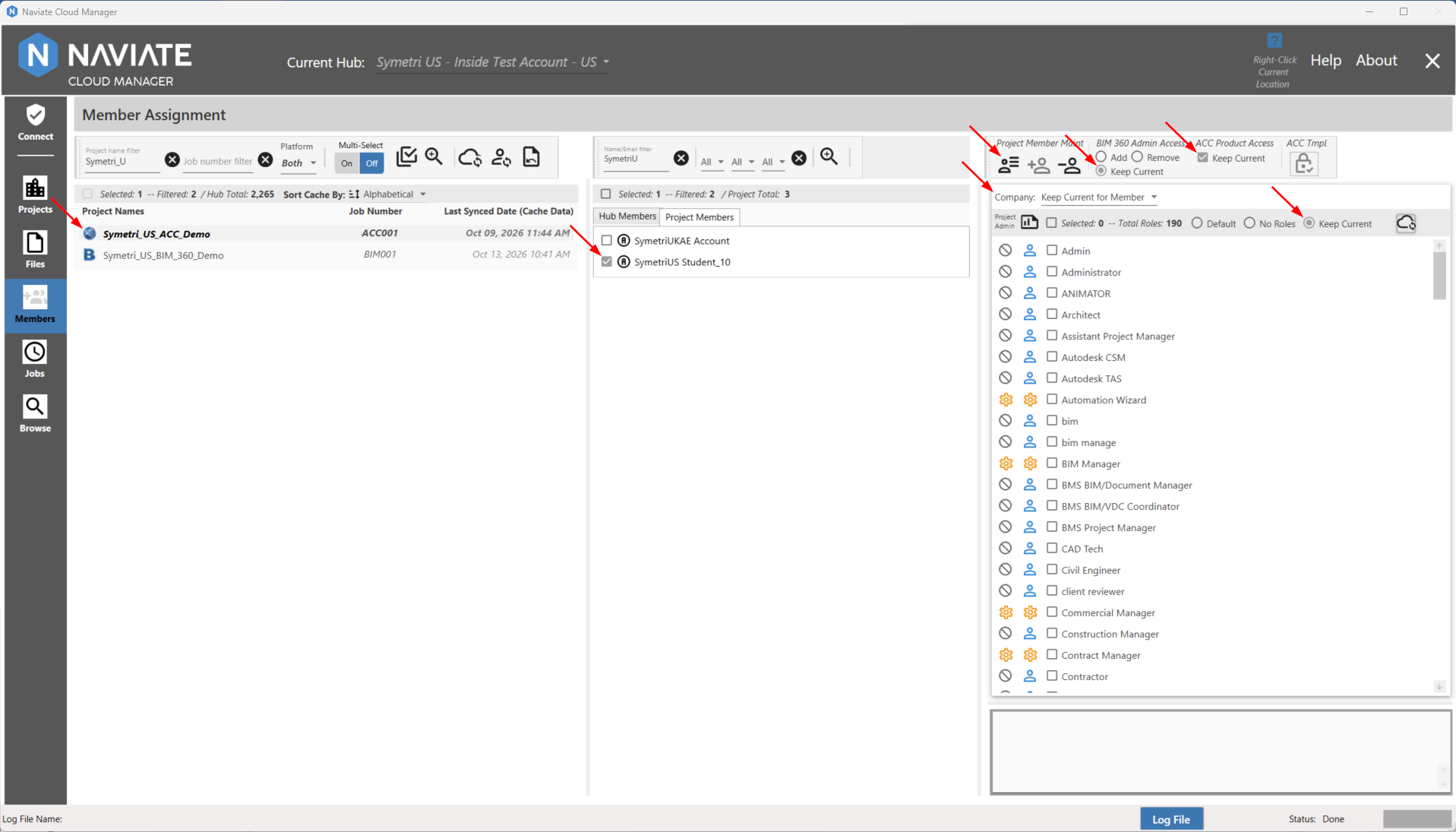
For Company and Industry Role, whatever is selected, that isn't keep current, Naviate Cloud Manager will replace the current settings. These new settings could be different settings or, if "no roles" or "no company" is selected will effectively remove any existing Company and/or Role setting.
Once satisfied with the selections, press the  Import Member settings for Selected Project button.
In the example below, all roles, companies and access will be removed:
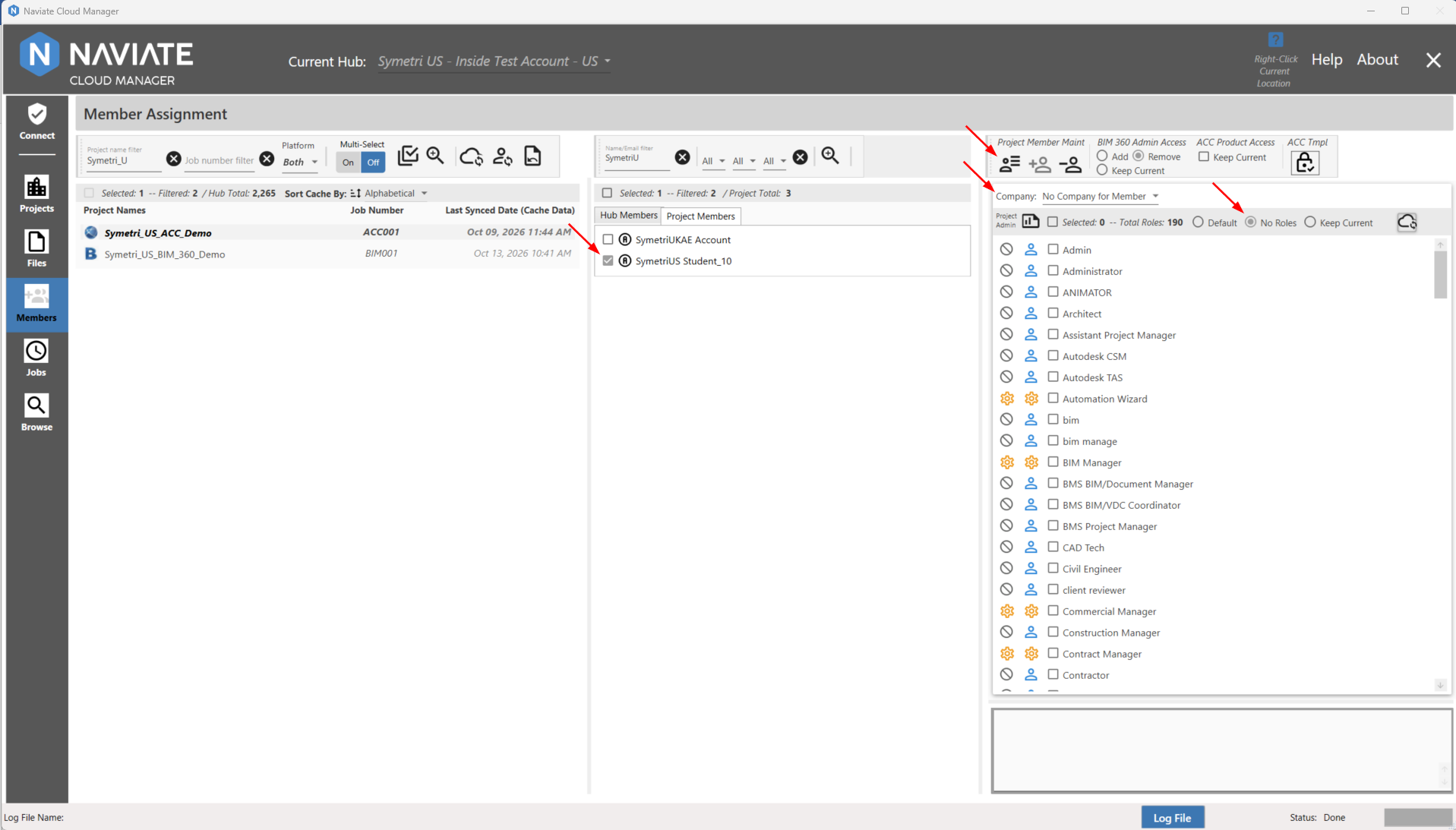
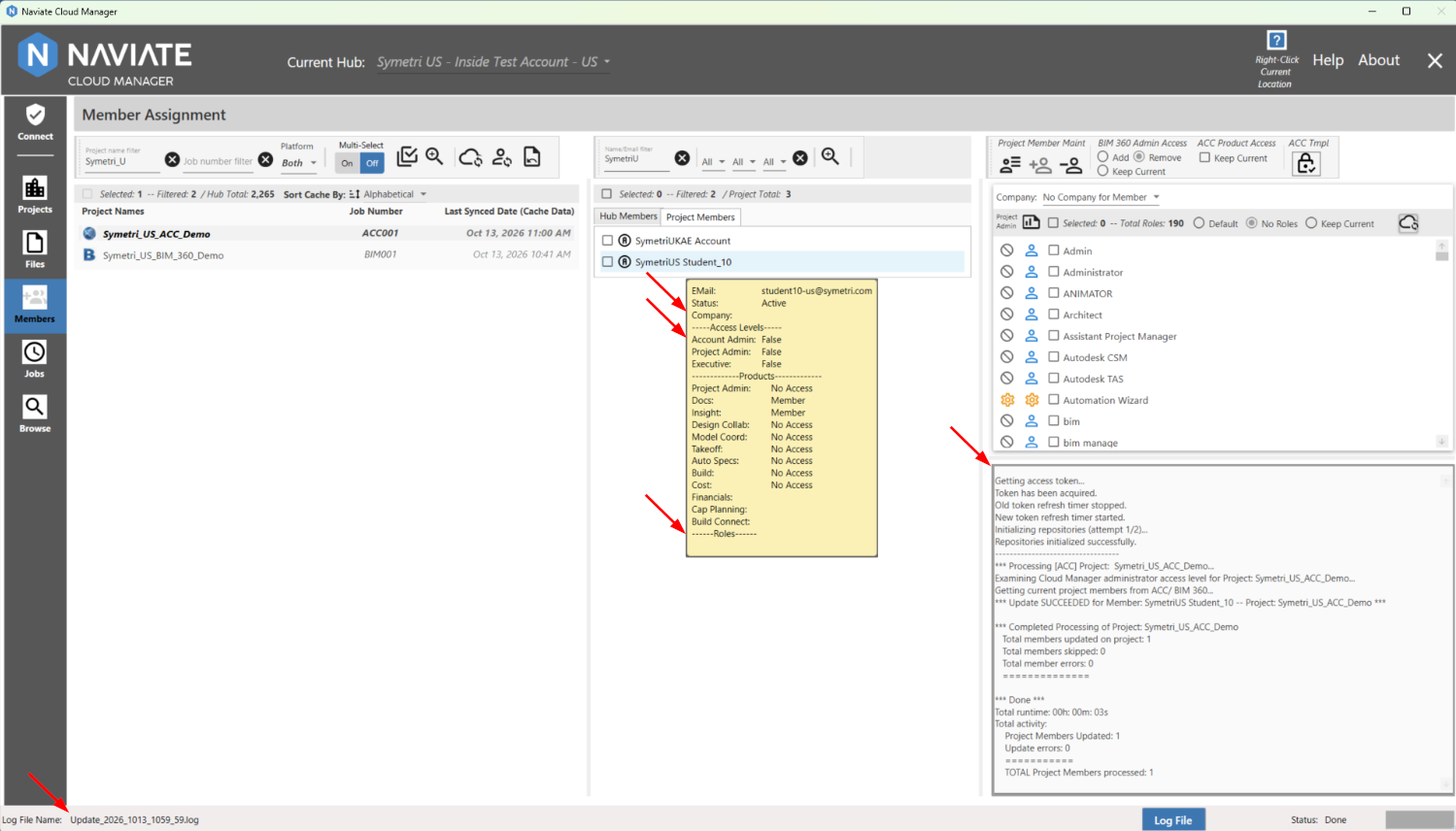
Processing normally occurs very quickly (3 seconds in this case for one members, as shown in the log at the lower right of the above screen). As the project member processing data that is displayed demonstrates, the user has been unassigned from the selected Company, Project Admin Access and Roles.
Log information can also be viewed in a larger format display using the Log File button located at the bottom of the screen. For more information regarding usage, refer to Import Members to Projects.